

今天刚进入论坛,被聊天区吸引了,于是我开始解析聊天区。目前找到了模拟发送消息的方法。
当前只找到了发送消息,后续会补全其他的功能。
发送消息
利用edge的开发者工具进行分析。
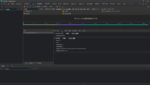
发送消息"。"时,浏览器会发送这个请求。请求类容很简单,我们只需要用代码模拟一下就可以了。
当然,我们还需要给请求附上cookie才行
同样,我们使用开发者工具拿到cookie

我们把数据填入代码
执行,消息就发送出去了(你们可能会看到我下午一直在发消息,就是在研究这个
当前只找到了发送消息,后续会补全其他的功能。
发送消息
利用edge的开发者工具进行分析。
发送消息"。"时,浏览器会发送这个请求。请求类容很简单,我们只需要用代码模拟一下就可以了。
Python:
import requests

headers={"user-agent":"Chrome/10"}
data = {
    "last_id": 53,
    "shout": "吐槽一下,网站的消息发送太草率了, 想要用机器人模拟太简单了吧",
    "_xfRequestUri": "/",
    "_xfWithData": 1,
    "_xfToken": "1660544704,ef6375295e3ce792d7f9bafd5d054319",
    "_xfResponseType": "json"
}


response = requests.post("https://gimovo.com/index.php?shoutbox/submit", data=data, headers=headers)
print(response.url)
print(response.text)同样,我们使用开发者工具拿到cookie
我们把数据填入代码
Python:
import requests

headers={"user-agent":"Chrome/10"}
data = {
    "last_id": 53,
    "shout": "吐槽一下,网站的消息发送太草率了, 想要用机器人模拟太简单了吧",
    "_xfRequestUri": "/",
    "_xfWithData": 1,
    "_xfToken": "1660544704,ef6375295e3ce792d7f9bafd5d054319",
    "_xfResponseType": "json"
}

cookies = {
    "xf_csrf" : "e4划掉g8NL",
    "xf_user" : "56%2C划掉ys3-s4vgWSp",
    "xf_session" : "3gu0划掉9hui0",
    "xf_shoutbox_last_shout" : "16划掉77"
}

response = requests.post("https://gimovo.com/index.php?shoutbox/submit", data=data, headers=headers, cookies=cookies)

print(response.url)
print(response.text)
最后编辑: